
 Order Lookup

How to Use DLsite Points
How to Check Points Balance

Go to DLsite.com and log in to your account.
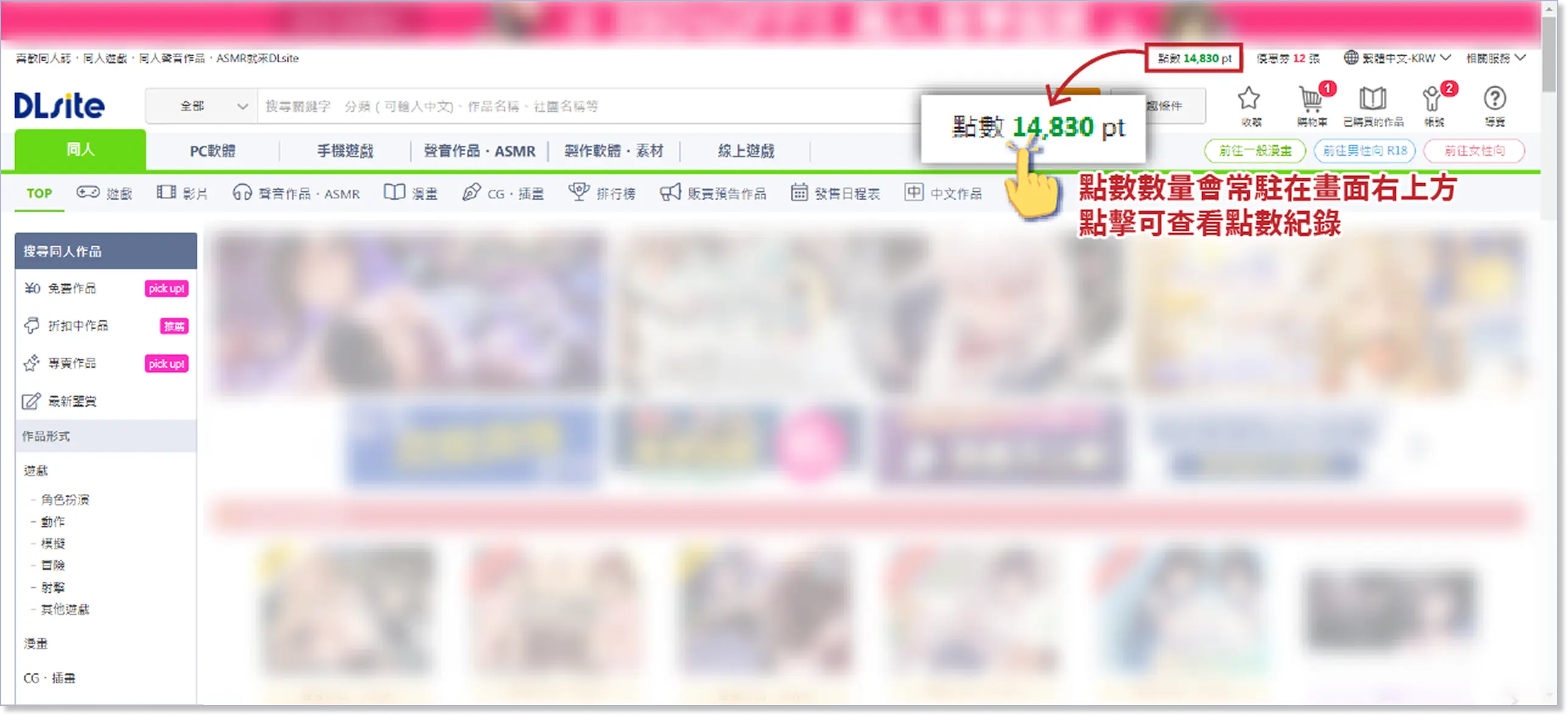
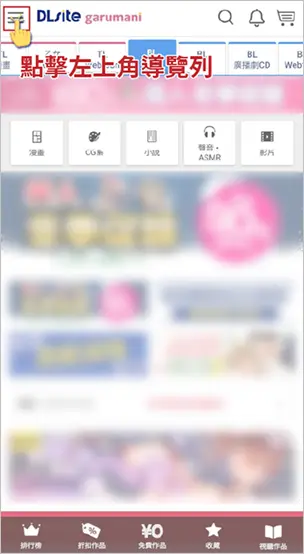
Your available points are displayed in the top right corner of the screen.
Click to view your Point History.
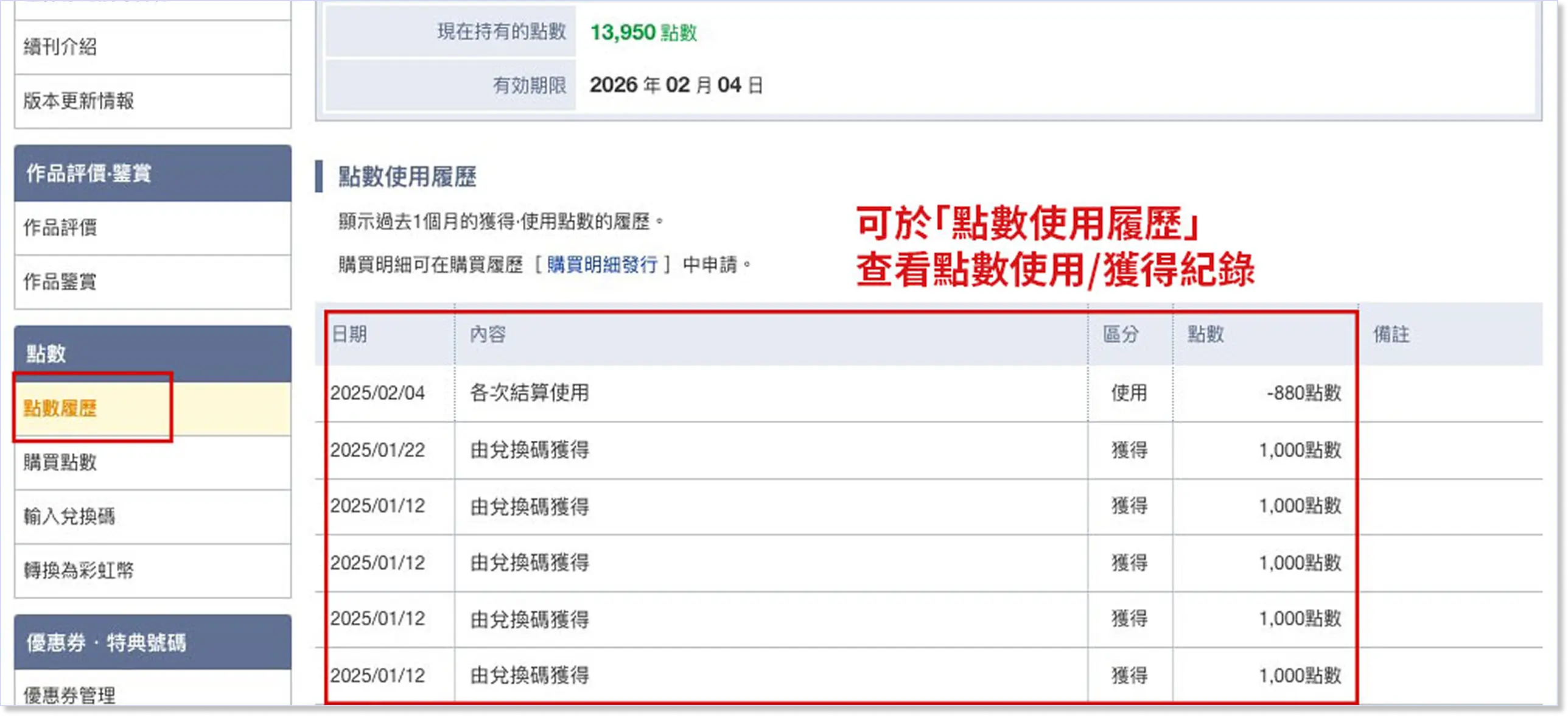
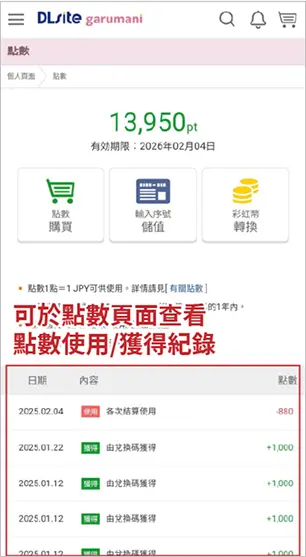
The Point History shows the point usage and purchase records from the past month.
Other point-related information can also be found in this page.
※ You can bookmark this Point Usage Guide for future reference!
How to Use DLsite Points
On the purchase page, choose "Use / Purchase" in Points section.
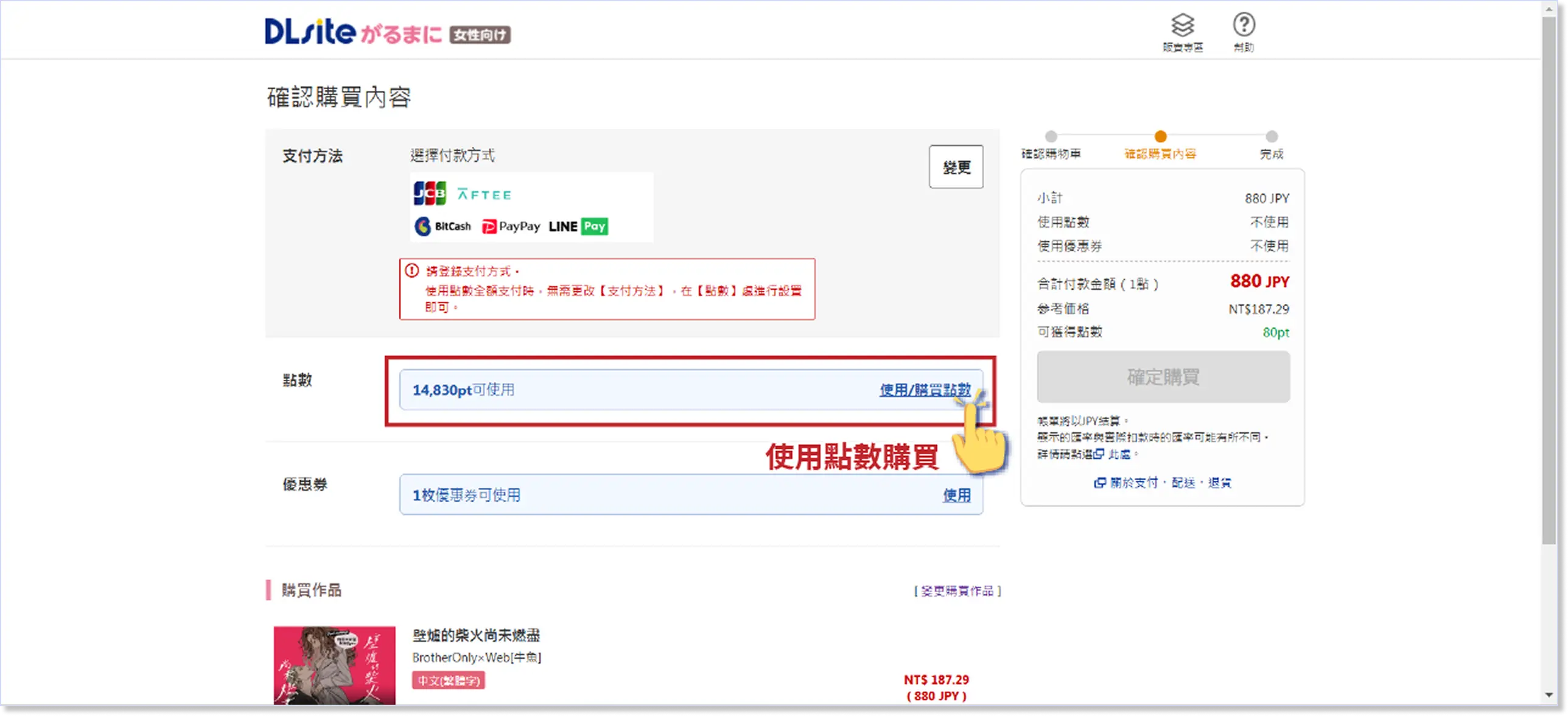
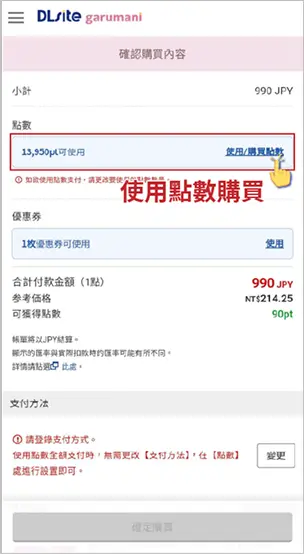
If you choose Use All Points, the full available amount will be deducted.
If you choose Use Some Points, you can set the amount manually (remaining amount must be paid with another payment method).
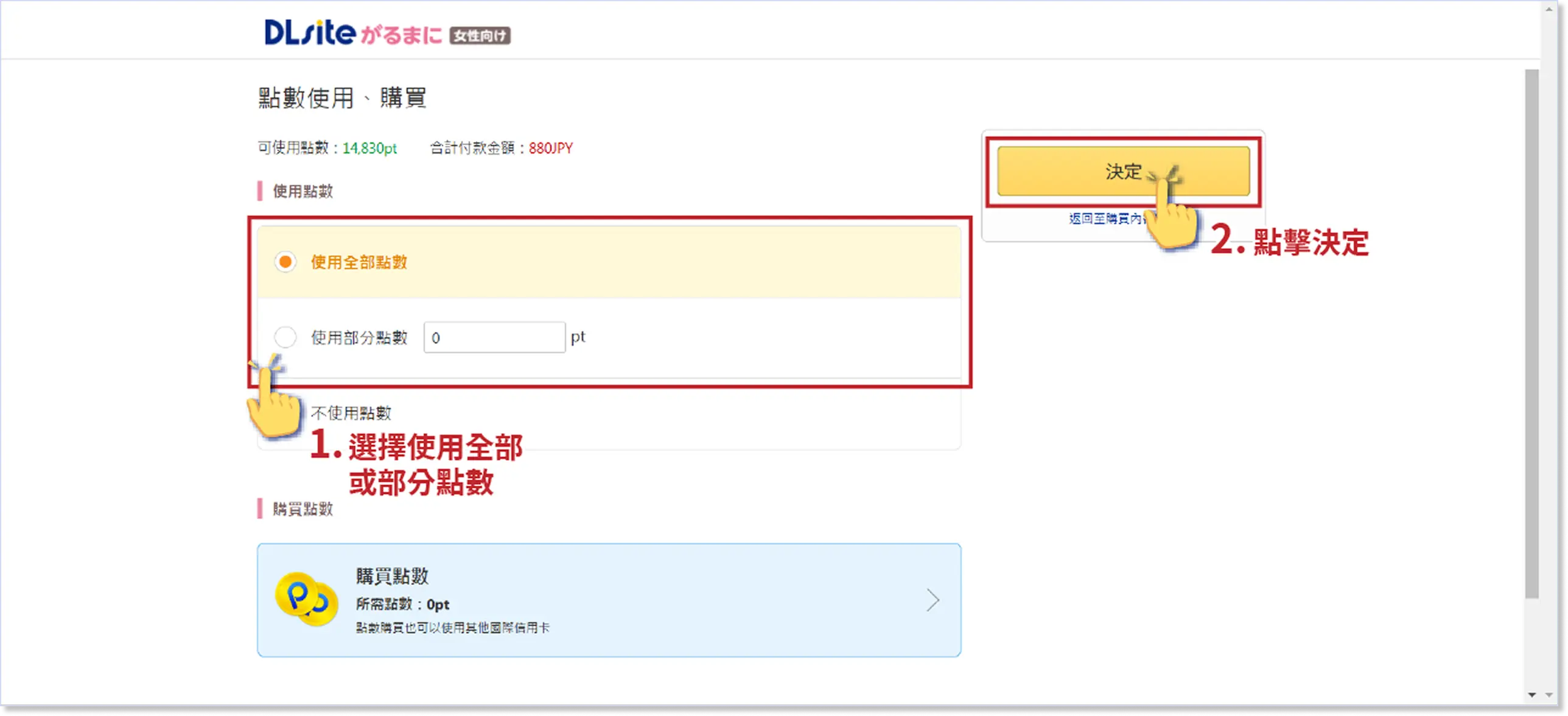
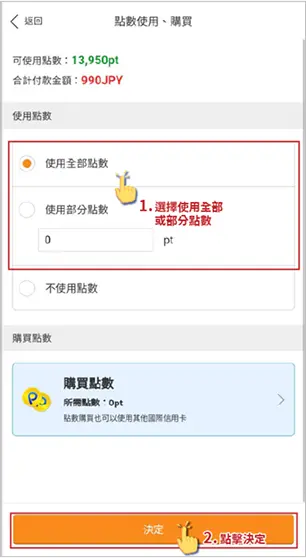
Confirm the amount of points to be used.
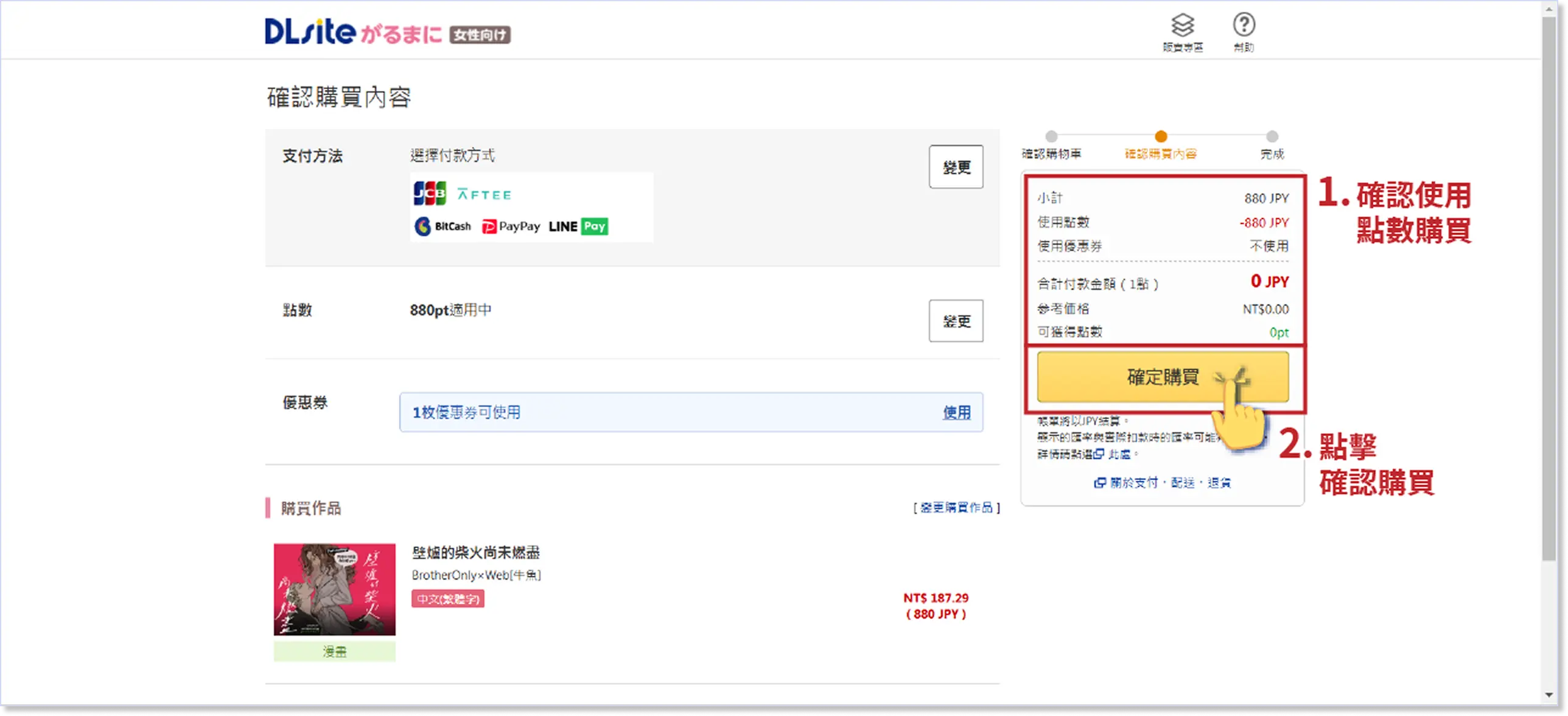
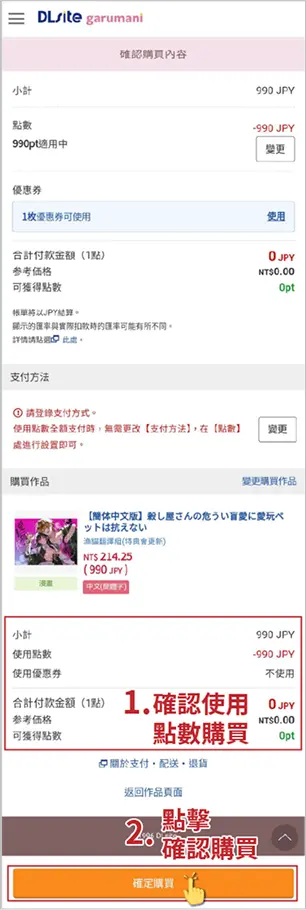
Click on Finalize Purchase and your order will be completed!
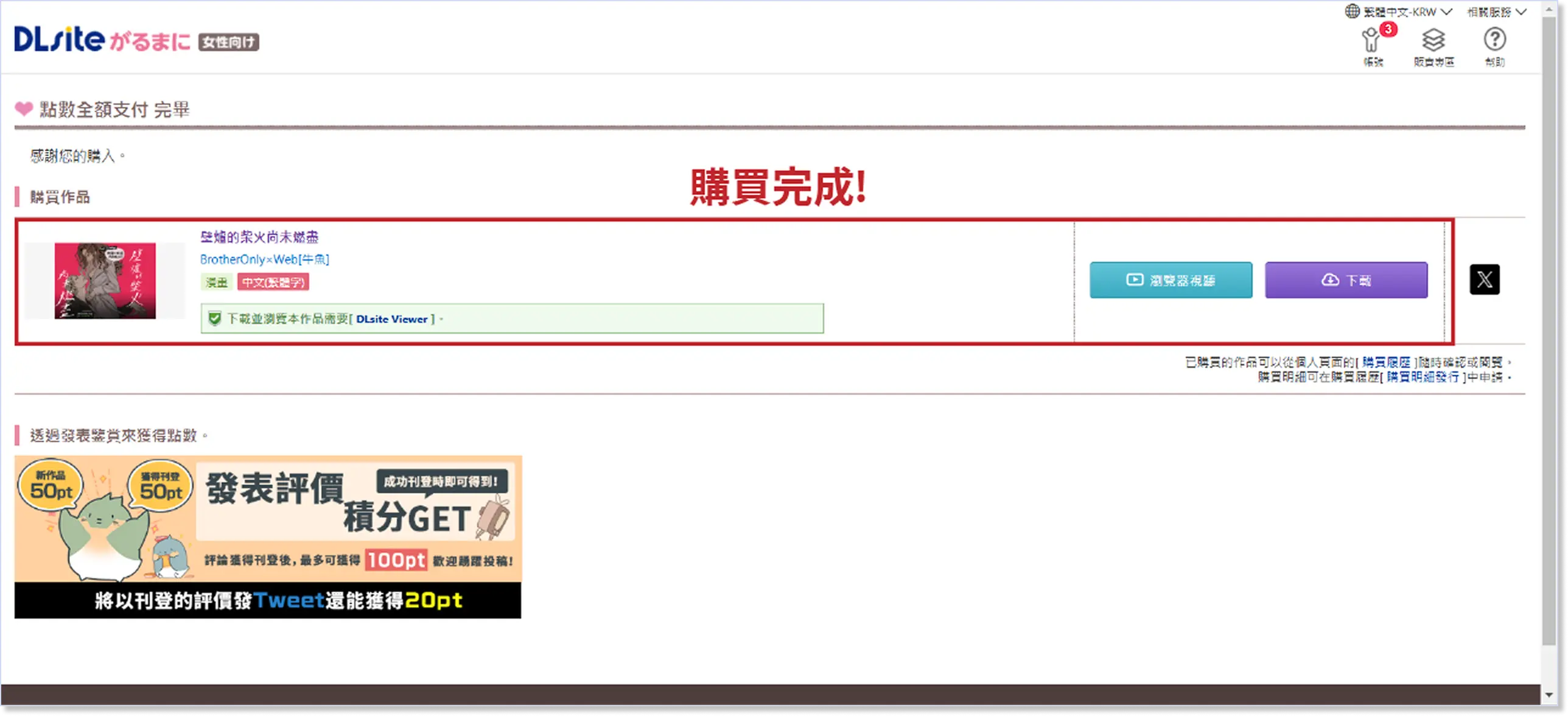
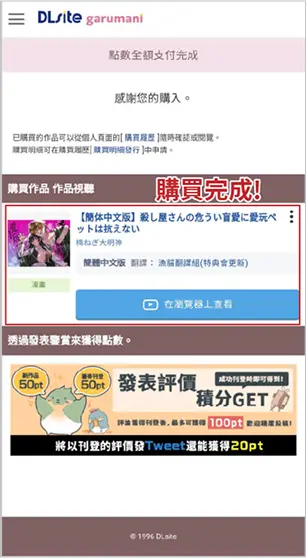
You can view your purchases in the browser viewer or download them for offline viewing.
※ You can bookmark this Point Usage Guide for future reference!
- DBooks does not provide point serial codes. Points will be automatically charged to your specified DLsite account after payment is completed. For any inquiries, please contact: support@dlpoint.net
- Due to exchange rate fluctuations in foreign currency, the estimated amount on the page may not reflect the most up-to-date rate. Therefore, the actual payment may differ from the estimated price.
- Please carefully review your order details before proceeding with payment.
- After the recharge is complete, you can check your available point balance on your personal homepage.
- All products sold on this site are virtual goods and are non-refundable once sold.